- Up to 10 pages from 5 unique templates
- Designed in Figma
- Built in Webflow on a documented class system, easy for your client to edit
- Forms connected and spam-protected
- SEO basics and GA4 set up
- Checked for common WCAG 2.2 AA failures
- CMS walkthrough video in your branding
Webflow development services for agencies
Webflow sites your client can edit, and the next developer can read.
A Webflow development agency that works under your name. We do white label Webflow builds from your Figma, in your own Workspace, on a documented class system, with CMS collections your client can manage. You pay a fixed price per template, and the first template is built in 5 business days.
- On time, or a full refund
- 30-day bug warranty
- Built in your own Workspace
- Speed checked at handover
Sites in Northwind Studio
Yourclientyourclient.webflow.io · edited todayPublished
Yourclient: landing pageyourclient-lp.webflow.io · edited 3 days agoStaging
Members of Northwind Studio
PNPriya N.priya@northwindstudio.comAdmin
SDSarthak D.sarthak@northwindstudio.comMember
JPJo P.jo@northwindstudio.comMember
Site plan billing
SiteYourclient
PlanCMS site plan
Billed toYour clientor Northwind Studio
Your choice per site. We never bill the plan, and never resell it.
StudioPartner’s name is on none of these (the Workspace, its members, the billing).
Everything your clients ask for in Webflow.
Want to outsource the Webflow design and the build in one go? That’s what the packages are for. Already have the Figma? Send it and we’ll build it.
Design
Designed for how Webflow is built, and how it’s edited.
- Custom website designEvery template drawn in Figma with Webflow’s Designer and CMS in mind from day one.
- Landing pagesCampaign pages for launches and paid traffic, form and tracking connected.
- Design systems in the buildColours, type and spacing as variables and shared classes, reused on every page.
- CMS page designsBlog, case study, team and resource templates designed around real content.
- RedesignsA new look on the content and URLs the site already has.
Build
Built in the Designer so your client’s team can edit it.
- Figma to WebflowYour design built as drawn, one template at a time.
- CMS collections and templatesBlogs, case studies, team, careers and resources your client can edit.
- Interactions and animationLoad and scroll interactions, each with a reduced-motion version.
- Forms and integrationsForms into your client’s CRM or email platform, tracking and embeds, tested and documented.
- Staging and launchReviewed on the staging domain, then published to the live domain in a quiet hour.
Optimise
Faster, more accessible sites that search engines can read.
- Speed and Core Web VitalsImages, fonts and scripts trimmed; speed and layout stability measured at handover.
- Technical SEOSemantic headings, a title and description per page, the sitemap and structured data.
- AccessibilityChecked against the common WCAG 2.2 AA failures, with visible focus and real labels.
- Migrations to WebflowFrom WordPress, Wix, Squarespace or Drupal, with every old URL redirected.
- Care after launchContent and CMS edits, form checks and uptime checks, reported in your branding.
01
How our Webflow builds are made.
Every Webflow site we build is held to the four standards below, and our QA checks each one before your client sees the site. Pick one to watch it working.
Client-First if the existing site uses it; otherwise our own documented system. The next Webflow developer can pick it up without ringing us.
- One documented class system across the whole build
- Shared classes and variables, so one change updates every page
- Navbar, footer and repeated sections built as components
- The class list in the handover doc
Content lives in clearly named collections, and layout stays in the Designer. Editors change the words and images; the design stays put.
- Every collection and field listed in the handover doc
- Notes on what your client can safely edit
- Linked collections, so content is entered once
- An editing guide in your branding
Motion is there to help the page read. It’s tested on real phones and turned down for visitors who ask for less of it.
- A reduced-motion version of every interaction
- Tested on real phones as well as in the Designer
- Nothing that hides content while it animates
- Built on shared classes, so they’re easy to change
Every change goes to the staging domain first, gets our QA and your review, and is published in a quiet hour.
- A backup of the live site first, where the platform allows
- Internal QA on staging, then your review
- Published to the live domain in a quiet hour
- Pages, forms and redirects checked on live straight after
02
Part of your agency, down to the email address.
We work as your staff, so as far as your client can tell, there’s only your agency.
Your email, your name
Your Project Manager works as name@youragency.com, and the Webflow Workspace member we log in as is on your domain too.
In your Slack and board
Tasks, staging links and questions land where your team already works, so nobody has a new tool to learn.
On your hours
Your Project Manager works your business day and aims to reply within 2 working hours during a project.
No trace of us
Our name isn’t in the footer, the custom code or any code comment, and it’s nowhere in your Workspace or its billing.
What your order commits us to.
On time, or a full refund.
The delivery date goes in your signed order. Miss it for a reason on our side and the whole project fee comes back.
How the guarantee works30-day bug warranty.
Anything we built that breaks in the first 30 days after launch is fixed free.
What the warranty covers
Speed, SEO and accessibility on every build.
The four standards above leave three things out: how fast the site loads, how search engines read it, and who can use it.
Performance
Fast on a mid-range phone, with the lab report to show it.
- Targets we build to on key templates: LCP under 2.5 s and CLS under 0.1, with responsiveness checked
- Measured in a lab test on a mid-range phone at handover, and reported to you
- Images sized and compressed for each breakpoint
- Fonts and scripts kept to what the design needs
Technical SEO
Easy for Google, and for AI answers, to read.
- Semantic HTML: one H1, ordered headings, real buttons and links
- Titles and descriptions set per page and per CMS template
- Sitemap, canonical URLs and structured data set up
- A redirect map whenever a build replaces an existing site
Accessibility
Built so more visitors can use it.
- Built to WCAG 2.2 AA and checked against its common failures
- Full keyboard use with visible focus, including menus
- Colour contrast, form labels and error messages checked
- Motion reduced for visitors who ask their device for it
White label Webflow website design and build, at fixed prices.
Each project has one fixed price, agreed in writing. There’s no subscription and no minimum term, and the price only changes if the scope does (you approve any change first). Every inclusion is listed on the card.
Business Site
Bigger sites with a blog, news or team section in the CMS.
$2,400fixed price
- Up to 20 pages from 10 unique templates
- Designed in Figma
- Built in Webflow on a documented class system, easy for your client to edit
- A CMS collection: blog, news or team
- Forms connected and spam-protected, and one integration with a CRM or email platform
- SEO basics and GA4 set up
- Checked for common WCAG 2.2 AA failures
- Performance report at handover
- CMS walkthrough video in your branding
A 20-page site with a blog, designed and built, fits here.
Build from your Figma: Webflow
You have the design. We build it in Webflow, exactly as drawn.
$100per template
+ Set-up and launch $150 per project
- Your Figma built as designed, one template at a time
- We check your file for missing states and breakpoints first
- Built in Webflow on a documented class system
- Extra pages on a built template at the additional page price
- Set-up and launch, once per project, covers staging, CMS set-up, QA, launch and a handover doc and video in your branding
- Custom design, built in Webflow, up to 8 templates
- Up to 50 products
- Payments, shipping and tax set up
- Checkout tested end to end with test orders
- Checked for common WCAG 2.2 AA failures
- Walkthrough video in your branding
Not sure what you need?
Tell us about the site on a 20-minute call. Within 2 business days you’ll have a written scope, a fixed price and a turnaround.
Quoted at a fixed price after the call:
- Migrations to Webflow
- Sites beyond 20 pages or 10 templates
- Custom integrations
- Memberships or several languages
- Monthly hours for ongoing work
New to us? Start with a pilot project, paid through escrow.
Add-ons and single services
For sites that already exist, or to add to any build.
Set-up and launch
Once per project built from your Figma: staging, CMS set-up, QA, launch and handover.
$150 per projectIncluded in the build time
Additional page
On an existing template, with QA.
$50 per page+1 business day per 5 pages
Landing page
One page, up to 8 sections, designed and built, with form and tracking connected.
$3505 business days
Integration
A CRM, email platform or booking tool, connected through an existing plugin, app or connector, beyond what a build includes.
$100 per integration2 business days
Content migration
Pages or posts moved into the CMS, then checked by hand. We choose the method.
$100 per 25 pages or posts3 business days per 100 pages or posts
Speed and Core Web Vitals
For a site we didn’t build. Our builds are measured and reported at handover.
Quoted after we look at the siteDate in the quote
Website audit
SEO, speed, accessibility and security on an existing site, as a PDF.
$2503 business days
Accessibility fixes
Full WCAG 2.2 AA fixes and a report, for a site we didn’t build.
$100 per template1 business day per template, 3 minimum
Extra design revision round
One more round on a template, with consolidated feedback.
$50 per template2 business days
Webflow care
Content and CMS edits, form checks and uptime, with a monthly report in your branding.
$50 per site / monthOnboarding check within 3 business days
Webflow work we’ve built.
Three sites our team built on Webflow.

NTROBuilt on Webflow
A national transport research organisation. One site for its services across road, rail, ports and airports, its software products, a training catalogue and a large library of news and research.
About this project: NTRO
The Rare GemBuilt on Webflow
A dealer in rare gemstones. An online shop for certified alexandrites and padparadscha sapphires, with buying guides, a find-your-stone form and a wholesale application.
About this project: The Rare Gem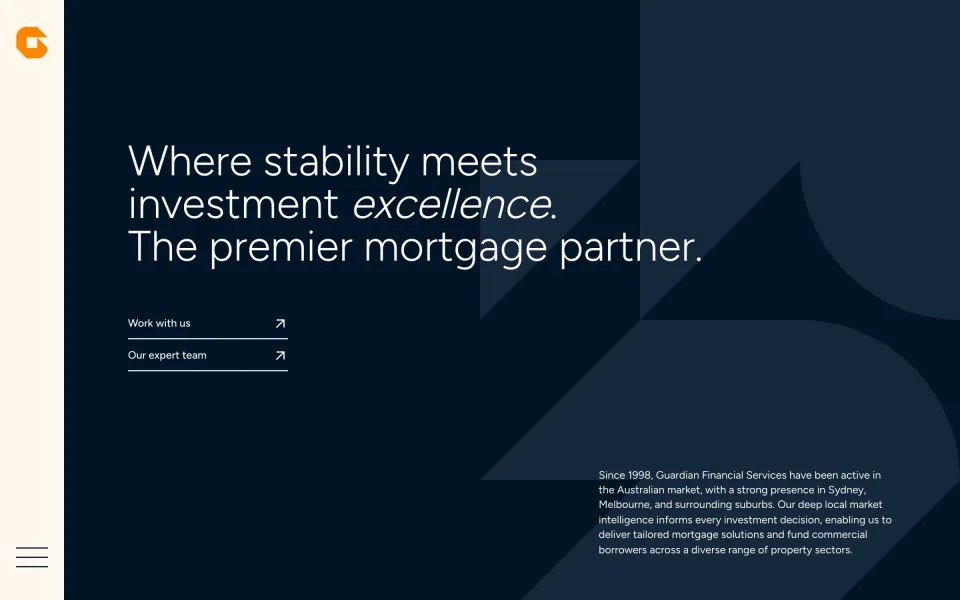
Guardian FinancialBuilt on Webflow
A private mortgage investment firm. A calm, dark site that explains the fund, shows its returns as a chart and gives investors and borrowers one clear way to get in touch.
About this project: Guardian Financial
See all work
Shown with written consent. Your own clients’ work only ever appears here if you say so.
When Webflow is the right call.
What Webflow is good at, and the client sites we pick it for. We also build on WordPress, Shopify and headless stacks, so we’ve no reason to push Webflow where it doesn’t fit.
Which platform fits your client?- Design-led marketing sites
- The build follows the Figma closely. Interactions and motion are made in the Designer itself, so there are no animation plugins to add or update.
- Clients who edit their own site
- Your client’s team changes text and images on the page itself, and adds a post or a new team member from a short form. There’s no admin dashboard to learn.
- Nothing to patch after launch
- Webflow looks after hosting, security and platform updates itself, so nobody on your side is updating plugins or minding a server.
- Content that repeats
- A blog, case studies, a team page or locations sit in CMS collections, with one template for each, so a new item looks right without a designer.
- A small store on the same site
- A short catalogue sold from the marketing site, on Webflow Ecommerce, with payments, shipping and tax set up and checkout tested.
- Where Webflow is the wrong fit
- Very large or heavily related content, complex user accounts, or a big catalogue with store logic beyond what Webflow Ecommerce does. If that sounds like your client, we’ll tell you before you quote them, and suggest the platform we’d use instead.
See the Webflow Ecommerce package Hire Webflow developers by the month How we work with creative agencies White label WordPress development White label Shopify development Headless builds White label web development on any platform White label web design in Figma
Our Webflow process, start to launch.
Five steps, each with a date and a deliverable, shown here for a Starter Site.
Brief and scope
We go through your Figma or brief: pages, CMS content, forms and integrations. After the call you get a written scope, the Webflow site plan it needs, a fixed price and a delivery date, all before anything starts.
Day 0–2Scope and site planDesign and build plan
We design the templates in Figma (or check yours for missing states and breakpoints), then map them to components, classes and CMS collections before the build.
Days 1–5Figma and structure mapBuild on staging
Built in the Designer and published to the staging domain. You get a written update every week, with a staging link.
Days 5–12Weekly update and staging linkQA and speed
Internal QA before you see anything: 6 breakpoints on real devices, forms tested, and speed and layout stability measured on key templates.
Days 12–14QA and speed reportLaunch and handover
Published in a quiet hour and checked on live. Then you get the handover pack (the editing guide, plus the class and CMS documentation), and the 30-day bug warranty starts.
Day 15Handover pack
The tools your clients already use, connected and tested.
Hover or tap a tool to see what we set up. We work in your client’s stack: if they already pay for a tool, we connect it.
Design and structure
Your Figma in, a structured Webflow site out.
- FigmaWe check your file for missing states and breakpoints, then build to it.
- RelumeSitemaps and wireframe components, when a brief needs a fast starting structure.
- Finsweet AttributesCMS filtering, sorting, load-more and form behaviours, added with attributes instead of extra code.
Forms, CRM and email
Forms that reach the right inbox or pipeline, tested before launch.
- HubSpotWebflow forms mapped to HubSpot properties, with source fields.
- SalesforceLeads routed from Webflow forms into Salesforce, natively or through an automation tool.
- PipedriveForm submissions turned into deals, with the source kept.
- ActiveCampaignForms that subscribe contacts and start automations.
- MailchimpNewsletter and lead-magnet forms feeding audiences.
- KlaviyoSign-up forms syncing to lists and flows.
- TypeformEmbedded multi-step forms and quizzes, with responses passed on.
- CalendlyBooking embeds placed and styled to match the site.
Interactions and motion
Motion tuned for performance, each with a reduced-motion version.
- GSAPScroll and timeline animation for what native interactions can’t do.
- LottieLightweight vector animations exported from After Effects.
- SplineInteractive 3D scenes embedded in hero and feature sections.
- RiveInteractive vector animation for product-style demos.
- Three.jsWebGL scenes, for sites where the brief asks for them.
- LenisA smooth-scroll layer, with a fallback for visitors who ask for less motion.
Analytics and testing
Tracking that adds up, installed without slowing the page.
- Google AnalyticsA GA4 property with events and conversions set up and checked at launch.
- Google Tag ManagerA container with form and button events, ready for your ad and analytics tags.
- HotjarHeatmaps and recordings installed without hurting page speed.
- Microsoft ClarityFree heatmaps and session recordings for conversion reviews.
- PostHogProduct-style event analytics for software marketing sites.
- OptibaseA/B tests on landing pages.
CMS content and data
Content from wherever your client’s team already keeps it.
- AirtableAn Airtable base as the content source, synced into CMS collections.
- NotionEditorial docs and calendars published to CMS collections.
- Google SheetsSpreadsheet imports and bulk updates for CMS content.
- WhalesyncTwo-way sync between the CMS and a database, for large or team-edited datasets.
- ContentfulContent from a headless CMS read into the site, or moved into Webflow.
- JetboostLive search and filtering on CMS collections.
- WizedDynamic, data-driven interface pieces on Webflow pages.
Automation
Form and CMS events passed on to the tools your client already uses.
- ZapierForm and CMS events sent on to thousands of other apps.
- MakeMulti-step scenarios between Webflow, your CRM, Slack and spreadsheets.
- n8nSelf-hosted workflows, for clients with data-residency needs.
Memberships and payments
Connected when a project needs them.
- MemberstackLogins, gated pages and paid plans on a Webflow site.
- OutsetaMemberships, billing and a CRM in one embed.
- StripePayment links and payments on membership sites.
- SnipcartA light cart for small catalogues.
- ShopifyA Webflow marketing site linked to a Shopify store.
Translation
Languages with their own URLs, so each one can rank.
- WeglotTranslation with subdirectory URLs and hreflang.
- LokaliseTranslation management for multilingual content.
- SmartlingAn enterprise translation workflow feeding localised content.
SEO tools
The tools behind redirect maps, crawls and launch checks.
- Screaming FrogCrawls before and after launch to check redirects, canonicals and metadata.
- Google Search ConsoleSitemap submission, indexing checks and crawl monitoring after launch.
- SemrushSite audits and keyword mapping for redirect maps and on-page briefs.
- AhrefsTop pages and backlink exports, to protect what ranks during a migration.
- ProfoundAI-answer visibility tracking, for agencies adding it to their SEO offer.
Not listed? If it has an embed or a connector, we’ll connect it for $100 per integration. A connection that has to be written against an API is quoted after a call.
Rebuilds and migrations to Webflow.
The old site stays live until the switch. We rebuild and check every page, and map every old URL to a redirect.
- WordPress
- Wix
- Squarespace
- Drupal or Joomla
What moves across
- Pages, rebuilt in Webflow from your design
- Blog posts, case studies and other repeating content, imported into CMS collections
- Each page’s SEO title and description
- Forms, rebuilt and tested with the same notifications
- Images, renamed and compressed on the way in
- Every old URL, 301-redirected to its new home
What can’t move as it is, and what we do instead
- Layouts and plugins
- Theme layouts and plugin features don’t convert. We rebuild each template in Webflow, move the words and images into it, and replace a plugin’s job with Webflow’s own tools or a connected service, listed in the quote.
- Accounts and passwords
- Logins don’t move between platforms. If the site has members, we agree how they sign up again before the build starts.
- Stores
- Products and orders aren’t part of a marketing-site move. A small store is its own project, on the Webflow Ecommerce package. A larger one is scoped on a call.
How we protect the rankings
- Crawl the old site and export every URL
- Map each one to its new URL
- Carry over titles, descriptions, alt text and structured data
- Set up the redirects before launch
- Crawl again after launch, and check Search Console
Your Workspace, your client’s bill.
The site, the designs and the bills stay with you and your client, and we list every one of them in the quote before we start.
What’s included, in full- Workspace
- We build in your agency’s own Webflow Workspace, so the site is in your account from the first day.
- Site plan and hosting
- Webflow hosts the site on its own site plan, and bills you or your client (you choose, site by site). We don’t sell hosting, and we never resell Webflow plans.
- Who owns the site
- Work is built in your accounts from day one, and all rights in it pass to you once the order is paid. Webflow and any third-party tools stay under their own licences.
- Access
- Named accounts on your domain, with only the access the job needs. You switch our access off at handover, unless the site is on a care plan.
- CMS limits
- Each Webflow site plan has limits on CMS items, collections and form submissions. We check your content against them before we start, and the plan the site needs goes in the quote.
- Domain and email
- These stay with your client’s registrar and email provider. We only touch the records we need to, and we tell you which ones.
- Apps, fonts and paid tools
- Bought on your client’s account or yours, or by us at cost with no markup. Each one is listed in the quote.
After launch: care plans that keep it running.
Every build has a 30-day bug warranty. Webflow runs the servers, but after those 30 days someone still has to watch the site: content and CMS edits, form checks and uptime. Our care plans do that per site, per month, with a report in your branding, and your client only ever hears from your agency.
Webflow care starts at $50 per site, per month.
Care plans for Webflow, Shopify and WordPress sitesTry us on one small project first.
Pick any one item from our price list and treat it as a pilot, with no commitment beyond it.
- Your first project is paid through escrow, and the money is released as you approve the work.
- Not happy with it? We fix it within 5 business days. Still not happy? You don’t pay (once per agency).
- Like every fixed-price project: on time, or a full refund.
The full terms are in the First-Project Guarantee.
A Starter Site (up to 10 pages) is $1,150, a Business Site (up to 20 pages, with a CMS collection) is $2,400, and a Webflow Ecommerce store is $2,500. All three are fixed prices, designed and built. If you already have the Figma, it’s $100 per template, plus $150 once per project for set-up and launch. Extra pages on a built template are $50 each.
Yes, one that only ever works under other agencies’ names. We design and build Webflow sites in your own Workspace, on a documented class system, with CMS collections your client can manage. A Starter Site is $1,150 at a fixed price, designed and built. Your client talks to you, and we never contact them.
Yes. Send the Figma and we’ll quote a fixed price per unique template ($100 each), plus $150 once per project for set-up and launch, which covers staging, CMS set-up, QA, launch and handover. Before we build, we go through your file for missing states and breakpoints; then each template is built as designed.
Only if the scope changes: more templates or pages, an extra integration, or a brief that changes after sign-off. We price the change in writing, and nothing is added until you approve it. The date is fixed too. If we miss the one in your order for a reason on our side, the whole project fee comes back.
No. You pay a fixed price per project, and only when there’s a project. There are monthly plans if you want ongoing capacity after launch, but they’re optional.
Yes. Ongoing Webflow work runs on monthly hours (40 or 80 a month) or on the Dedicated Developer plan, which is one senior developer working only on your projects. The plans and prices are the same as for every other platform; our page on hiring Webflow developers explains what a month covers.
Client-First, if your client’s existing site already uses it. Otherwise we use our own documented class system, planned around the design and what your client needs. Whichever it is, it’s used the same way across the whole build and the class list goes in the handover doc, so any Webflow developer can pick it up later.
Yours. We work in your agency’s Webflow Workspace as named members on your domain, so the site sits in your account from day one.
You or your client, whichever you choose for each site. Webflow hosts the site on its own site plan and bills that plan directly. We don’t sell hosting, and we never resell Webflow plans. Before we start, we check your content against the plan’s CMS limits and put the plan the site needs in the quote.
Yes. Content lives in CMS collections with clearly named fields; your client’s team edits it and publishes from the Editor, while layout and styles stay in the Designer. Every build comes with an editing guide in your branding and a note of what’s safe to change, plus a walkthrough video where your order includes one.
Yes: load and scroll interactions, and custom-coded animation where the design needs more than Webflow’s own. Each one has a reduced-motion version and is tested on real phones. None of them hides content or holds up the first screen while it runs.
We build and check against the common WCAG 2.2 AA failures: keyboard use with visible focus, colour contrast, form labels and error messages, and reduced motion. That’s the standard we build to. It isn’t a legal compliance certificate, and we don’t promise compliance.
On the key templates we build to LCP under 2.5 s and CLS under 0.1, and check that the page stays responsive, measured in a lab test on a mid-range phone at handover. You get the report. They’re the targets we build to. We can’t guarantee them, because scripts, embeds and content added after launch can change the numbers.
Yes. We rebuild each template in Webflow, move the content into CMS collections, redirect every old URL and crawl the site again after launch. If a redirect in our map was missed, we fix it free during the 30-day warranty. Nobody controls Google’s rankings, so we don’t promise them. The redirect map and the crawls are the part we control, and we do both on every migration.
When the site needs heavy content workflows, a big plugin ecosystem, a large or complex store, very large or heavily related content, or complex user accounts. WordPress, Shopify, WooCommerce or a headless build usually suits those better, and we’ll tell you before you quote the client.
Yes, for small catalogues. The Webflow Ecommerce package covers custom design, up to 8 templates, up to 50 products, and payments, shipping and tax set up, with the checkout tested end to end. It runs on Webflow’s own ecommerce: payments go through Stripe and PayPal, and there’s no app store like Shopify’s. For a large catalogue, or a store that needs complex logic, we’ll recommend Shopify or WooCommerce.
No. We work from an email address on your domain, inside your Slack and your board, and the Webflow Workspace member we log in as is on your domain too. Nothing in the footer, the custom code or the code comments carries our name.
You do. The work is built in your accounts from day one (the site in your Webflow Workspace, the designs in your Figma), and all rights in it pass to you once the order is paid. Webflow and any third-party tools stay under their own licences.
A Starter Site takes 15 business days, a Business Site 25 business days and a Webflow Ecommerce store 30 business days, counted from the day we have everything we need. A build from your Figma takes 5 business days for the first template, +2 for each extra. The date goes in writing at kickoff, and if we miss it for a reason on our side, the whole fee comes back.
For the first 30 days, anything we built that breaks is fixed free under the 30-day warranty. After that, our care plans cover content and CMS edits, form checks and uptime, per site, per month, with a report in your branding.
Yes. Pick any one item as a pilot. It’s paid through escrow on your first project and released as you approve the work. If you’re not happy, tell us within 5 business days of the staging handover and we fix it within 5 business days. Still not happy within 5 business days of the fix? Then you don’t pay, as long as the work hasn’t been used in production.
Quote your client a Webflow site today. We’ll build it under your agency’s name.
Next, you send a short brief and we reply with a fixed price and a delivery date in writing. You pay nothing until you sign the order.